






Beispielbild einer Wunschliste für Weihnachten
Beispielbild einer allgemeinen Wunschliste
Beispielbild einer Wunschliste für Geburtstage
Beispielbild einer Wunschliste für Hochzeiten
Beispielbild einer Wunschliste für Baby

Create a wishlist online – free to start

Create a wishlist online, add wishes from Amazon search, from any shop link, or in your own words, and share one link. Guests reserve a wish without an account. You do not see those reservations unless you switch view. Nothing here is a checkout.

View an example wishlist
100% free
Guests reserve without an account
GDPR compliant
Download the Wish Hero app from the Google Play StoreDownload the Wish Hero app from the App Store

Create a wishlist online in three steps

The list owner and the guest do different jobs

The list owner adds wishes
1

The list owner adds wishes

Name the list, set a date, and add wishes. No sign-up is required to start.

Share one link
2

Share one link

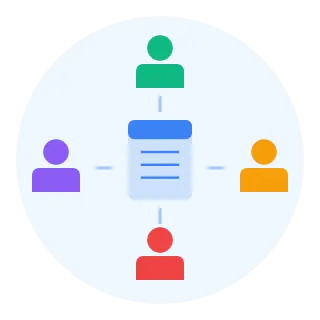
Guests open the link in a browser. They do not need an account to look or to reserve a wish.

Guests reserve or chip in
3

Guests reserve or chip in

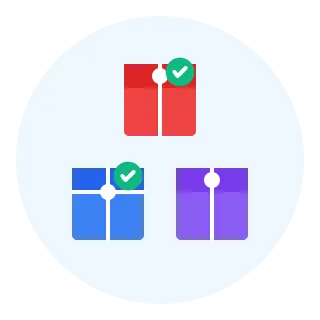
Reserve a wish, mark it as purchased after you buy it, or contribute an amount if you have an account. Wish Hero does not take payment.

The same wishlist, a different occasion

Create a wishlist online once. The occasion pages explain how families use it for a specific day.

… and for many more occasions

Christmas Road trip Birthday Renovation Wedding Kindergarten Wedding eve Baby gear Baby New house New Year Baptism New job School start Baby shower Valentine's Kids' birthday Garden Engagement Travel Confirmation Anniversary University Moving Youth confirmation Flat share Easter Graduation Mother's Day Year abroad Festival Communion Promotion Father's Day Work party Bucket list Retirement

Common questions

Accounts, shops, and who can see a reservation.

Yes. A guest opens the shared link, enters a name, and reserves a wish. They do not create an account for that. The same guest session can record an amount. A registered account is for another device, reminders, and recovery.
You can paste a product link from any shop or type a wish with no link. Product search finds items on Amazon. Wish Hero does not guarantee the price or that the item is in stock.
Not in the normal owner view. You do not see whether a wish was reserved, marked as purchased, or contributed to. Switch to the guest view if you want that status. Other guests can see that a wish is reserved.
No. You can start without signing up. An account helps when you want the same lists on another device, reminders, or the recovery of a guest list. A guest who created lists without an account needs their recovery link if they leave that browser.
No. Reserve a wish tells other guests you plan to give it. Mark as purchased records that you bought it. The purchase happens at the shop, not in Wish Hero. Wish Hero does not ship anything.
A guest session from the shared link can record an amount. Wish Hero shows the amount still needed. It does not collect or hold the money. The guests move the money and buy the gift themselves.
Wish Hero is completely free to use. To cover server costs, some product links may be affiliate links. If someone buys through one, Wish Hero may earn a commission, and the shop price does not change. Wish Hero does not take payment for the gifts themselves.
We are Jessi and Dani, the founders of Wish Hero. We are a couple with 2 kids. We are a small family from Germany, living in a village of 300 inhabitants in the countryside.

Still have a question?

We are happy to help. Send us a message, or tell us how Wish Hero can get better.

A short preview of the wishlist

Letters, scattered messages, and one-shop lists came first. The sourced timeline is on the history page. Wish Hero is only the current product at the end.

19th century
Letters and paper

Letters and paper

Children wrote wishes to Santa, and families kept handwritten lists. That history is older than any website.

Messages
Chats and email

Chats and email

A link in a chat is fast, and it is easy to lose. Several givers then lack one shared view of what is still open.

One shop
Retailer lists

Retailer lists

A shop wishlist helps inside that shop. A gift from somewhere else, or a wish with no product, needs another list.

Now
One shared link

One shared link

Wish Hero is one way to mix shops, reserve a wish, and record contributions. It did not invent the wishlist.

Create a wishlist online

To create a wishlist online, the list owner gives the list a name and a date, then adds wishes. A wish can be a product link from any shop, a result from Amazon search, or a few words you type yourself. Size, colour, variant, and a price can sit on the wish when they help the guest.

The first wish does not have to be a product. A book title, a voucher, or “a day out, you choose the place” is a valid wish. Wish Hero stores the list and the link. It does not sell the gift, place the order, or arrange delivery.

What “free” covers, and what it does not, is on the free wishlist page . Occasion pages go further for birthdays , weddings , Christmas , and baby lists .

  • The list owner creates the wishlist and adds the wishes
  • A product link and a typed wish can live on the same list
  • Prices and product names stay as written
  • A password is optional. If you set one, the share link can include it
A person creating a wishlist online on a laptop
A reserved gift being wrapped, separate from any order inside Wish Hero

What the list owner and the guest each see

After you share one link, a guest opens it in the browser and reserves a wish. Other guests can see that the wish is reserved, so they can pick something else. In the normal owner view, you do not see whether a wish was reserved, marked as purchased, or contributed to. That is deliberate: the surprise stays with the guests.

If you want the status anyway, switch to the guest view. The eye control is in the top bar on a phone and above the list on a larger screen. Reserving is not a purchase. Mark as purchased is a separate status a guest sets after they have bought the gift somewhere else.

A guest who changes their mind can release the wish. It becomes available again for everyone else who has the link. Wish Hero cannot stop a duplicate if someone buys the gift without looking at the list.

  • Guests see that a wish is reserved
  • The list owner does not see that status unless they switch view
  • Reserve a wish and mark as purchased are different actions
  • A released wish is available again

Who can skip the account

You can start a wishlist without signing up. A guest can reserve a wish with a name and no account. They do not install an app, and they do not join a platform. They open the link you sent.

An account is for the person who wants the list again on another device, reminders, or the recovery link. A guest session from the shared link can record an amount. When the amount still needed reaches zero, an email can go to a registered user who has an address. A guest account also has a recovery link. Without that link, a guest who leaves the browser can lose access to lists they created.

The wishlist app is optional. The same shared link works in a mobile browser. If several people should edit one list, that workflow is on the shared wishlist page, not here.

  • List owner: can start with no sign-up, and can add an account later
  • Guest: can reserve with a name and no account
  • Chip in: a guest session from the shared link can record an amount
  • The browser is enough; the app is a home-screen shortcut to the same lists
People opening a shared wishlist on a phone without signing up

One list, or one list per person

A universal wishlist is still one list with one link. Many families keep a separate list per person and per date: one for a child, one for a partner, one for Christmas. Each list has its own guests. You can archive a list after the day, change the date, or delete it.

This page does not walk through one occasion. Use the family wishlist when several people each need a list, and the children's wishlist when a parent is writing the wishes. Secret Santa is a draw with assignments, not a wishlist.

Friends looking at one shared wishlist link together
Friends coordinating one larger gift without paying inside the wishlist

Chip in toward a larger wish

When one person does not want to buy the whole gift, guests can contribute an amount. Wish Hero records the amount and the amount still needed. It does not take the money, hold it, or pay the shop. The people involved transfer the money and buy the gift themselves.

A guest can also mark that they are willing to buy the gift once the contributions cover the price. More than one person can say that, so they still need to agree who walks into the shop. Reserving the whole wish, chipping in, and marking as purchased stay separate.

That pattern fits a pram, a camera, or a shared wedding wish. The wedding page explains the etiquette. The mechanics of several editors on one list are on shared wishlist .

  • Contribute records an amount; it is not a payment
  • The amount still needed stays on the wish
  • A guest session from the shared link can chip in
  • Wish Hero is not the merchant

The list owner and the guest, side by side

The list owner creates a wishlist online, names it, and sets the date. They add wishes one by one. A wish for a book can be a product link. A wish for “time, not a thing” can be a sentence. They copy one link and send it where the guests already are. They do not see who reserved what, unless they deliberately switch to the guest view.

The guest opens that link, types a name, and reserves a wish. No account, no app, no checkout. If the wish is large, that guest session can chip in an amount and, if they want, say they are willing to buy it once the amount still needed is covered. Mark as purchased comes after the guest has actually bought the gift at a shop. Two guests can still buy the same thing if one of them never opens the list.

You can rehearse both roles on the birthday wishlist example before you send a real link. The people on that page are invented. Use the free wishlist page if your question is about price or limits, and the wishlist app only if you want an icon on the home screen. Occasion pages stay the place for Christmas, weddings and the rest.

  • Owner: create, add wishes, share one link
  • Guest: open the link and reserve, with no account
  • Chip in: a guest session from the shared link. Email reminders: a registered account
  • Order and delivery: the shop, not Wish Hero

A first list, with ordinary wishes

A useful first wishlist is short. Name it for the person and the day, then add six to twelve wishes rather than everything you have ever liked. Mix the prices. Two or three wishes around €15 to €30, a few around €50, and one larger wish that several people could chip in for. Guests freeze when every line costs the same as a weekend away, and they also freeze when the list is only socks.

Write the detail a shop would ask for. “Blue, size 38, the other colour is fine.” “Any edition of this book.” “A voucher for the museum, not another mug.” Paste a product link when you have one, and leave the shop’s title as it is, even if it is German. If you do not have a link, the sentence is the wish. Wish Hero will not invent a product, correct a price, or tell you the item is in stock.

Then share one link and stop editing in the group chat. Guests who open the Christmas wishlist example can see the same idea with simulated relatives: a small toy still open, a mid-priced cleaner reserved, a board game collecting amounts, a large outdoor wish already marked as purchased. Copy the shape, not the products. Your own list should name what you actually want.

After the day, archive the list, move the date, or delete it. You do not owe the page a second life. If the next occasion is a different person, create another wishlist instead of reusing a list whose reservations belong to last year.

  • Six to twelve wishes is enough to start
  • Mix small prices and one larger wish
  • Put size, colour and a substitute on the wish
  • A product link is optional

Shops, search, and a list you can click through

Product search finds items on Amazon, and you can add one straight to the list. You can also paste a link from any other shop, or write the wish with no link. Product titles stay in the language of the shop. Wish Hero does not translate your wishes, and it does not promise that a price or a stock level is still right when a guest opens the shop.

If you want to see the guest side before you send a link, open the birthday wishlist example or the Christmas wishlist example . Names, reservations, and contributions on those pages are simulated. Nothing there places an order or moves money.

A comparison with a single-retailer list is on the Amazon wishlist page. This homepage stays with the general act of creating and sharing a list.

  • Amazon search, plus a link from any shop
  • Product names stay as the shop wrote them
  • Examples are interactive and simulated
  • No checkout inside Wish Hero

Who operates the list, and where it runs

We are Jessi and Dani, the founders of Wish Hero. We are a small family from Germany, living in a village of 300 inhabitants in the countryside wiht our two kids. About Wish Hero is the page for the people behind the list.

Wish Hero is completely free to use. To cover server costs, some product links may be affiliate links. If someone buys through one, Wish Hero may earn a commission, and the shop price does not change. Wish Hero does not take payment for the gifts themselves.

The history of the wishlist is a separate, sourced timeline. It does not treat Wish Hero as the inventor of the wish list.

  • Jessi and Dani, a couple with 2 kids
  • A small family in a German village of 300 inhabitants
  • Free to use; affiliate links help cover server costs
  • Wish Hero does not take payment for the gifts